
Input Barcode Data
0 Entries EnteredBarcode Preview
Add up to one line of additional text.
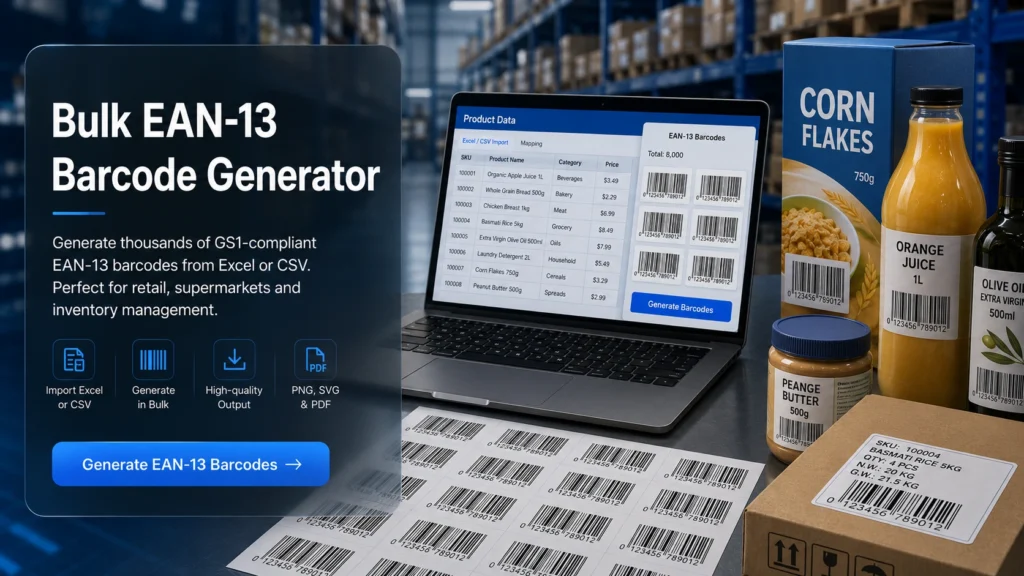
Every product, carton, or package requires a unique code that can be scanned quickly and accurately. Managing these codes manually is time-consuming and error-prone. This is where an online Bulk EAN-13 barcode generator or batch barcode generator are useful. It allows you to create hundreds of barcodes in seconds, directly from Excel, CSV files, or manual input.
With our bulk EAN-13 barcode generator, you can easily generate 500 EAN-13 barcodes at once. You can export them in multiple formats and use them for printing, labelling, and product tracking. We will guide you on how you can create these barcodes and use our tool 100% accurately without error.
What is a Bulk EAN-13 Barcode Generator?
A bulk EAN-13 barcode generator is an online tool that allows you to create many EAN-13 barcodes at once. It is mainly used for barcode generator for inventory systems, retail, and shipping labels. Instead of making each barcode separately, you can:
- Add a list of product numbers
- Upload an Excel or CSV file
- Generate all barcodes in one click
- Download them in bulk
What is an EAN-13 Barcode?
EAN-13 is a 13-digit barcode standard used worldwide for identifying retail products. It is part of the GS1 system and is commonly printed on consumer goods to ensure global product recognition in retail and supply chains. It is widely used by supermarkets, online stores, and manufacturers for fast and accurate product identification.
This barcode stores structured numeric information such as the country code, manufacturer ID, and product code. It is made for international use. It makes it compatible with most retail scanning systems in the world. It also includes a check digit that helps verify data accuracy and reduces scanning errors.
Basic Structure of EAN-13 Barcode
The EAN-13 barcode is organised in a definite structure so it can be easily read and scanned worldwide. It is divided into four main components:
1. GS1 Prefix (3 Digits)
The GS1 prefix identifies the organisation or region where the barcode is registered. It does not always indicate the manufacturing country of the product. Some barcodes starting with “0” are converted to UPCs.
2. Manufacturer Code (Variable Length)
The manufacturer code identifies the company that owns the product. It is assigned by GS1 and is unique for each manufacturer. The length of this code can vary depending on allocation rules. A shorter manufacturer code allows more product numbers for the same company, which makes it scalable for large businesses.
3. Product Code (Variable Length)
The product code is assigned by the manufacturer to identify individual items. Each product under the same company has a different product code. This section ensures that every product in the world has a unique identity. It prevents duplication in global systems.
4. Check Digit (Final Digit)
The check digit is used to verify the accuracy of the barcode. It is calculated using a mathematical formula based on previous digits. Its main purpose is error detection during scanning or manual entry. It helps identify incorrect or damaged barcodes and ensures reliable scanning results.
How to Use Our Bulk EAN 13 Barcode Generator?
Using our bulk EAN-13 barcode generator is easy. You can create hundreds or even thousands of barcodes in just a few minutes by following these steps.
Step 1: Add Your Barcode Data
You need to enter the data that you want to convert into barcodes. You can paste product numbers, upload an Excel or CSV file, or manually type the values.
Step 2: Select EAN-13 Format
Choose the EAN-13 barcode type for retail products and global use.
Step 3: Customize Size and Style
You can adjust the size and appearance of the barcode according to your requirements. You can also set the width, height, font size, and text placement below the barcode.
Step 4: Preview and Validate
You must preview your barcodes before generating the final output to ensure accuracy. It allows you to check whether the data and format are correct.
Step 5: Download Your Barcodes
Now you can generate and download your barcodes after verifying all details. You can download barcodes in the following formats:
- PNG
- JPG
- SVG
- ZIP file for bulk downloads
How to Generate Barcodes Using a Bulk Barcode Generator Excel?
If you have a large product list, our bulk barcode generator from Excel lets you create hundreds of barcodes quickly and accurately. Here is how you can create bulk codes by uploading an Excel sheet into a bulk barcode generator Excel:
Step 1: Prepare Your Excel File
- Open Excel and create a barcode generator from excel list with your product numbers or codes.
- Each row should represent a single product.
- Optionally, add product names or SKUs to help track items.
Step 2: Upload Your File
Go to the bulk barcode generator Excel section in the tool. Upload your Excel file. The generator reads each row as a separate barcode entry.
Step 3: Select EAN-13 Format
Choose EAN-13 for global retail compatibility. This ensures barcodes work for Amazon, inventory, and retail scanning systems.
Step 4: Customise Barcode Appearance
Adjust size, font, and label layout as needed. You can generate print-ready or digital barcodes.
Step 5: Preview and Validate
Now, check a few sample barcodes to ensure all data matches your spreadsheet. This step ensures your batch barcode generator workflow is error-free.
Step 6: Download Barcodes
Download barcodes in PNG, JPG, SVG, or PDF format. For convenience, you can also download a ZIP file containing all barcodes.
How to Generate Barcode From CSV?
You can also use a CSV file to create barcodes efficiently. The generate a barcode from CSV feature is ideal for structured product data.
Step 1: Prepare Your CSV File
- Make a CSV file with a column for product codes or numbers.
- Each row should be a separate product.
- Add columns for SKUs, product names, or categories for easier tracking.
Step 2: Upload Your CSV File
Go to the generate barcode from CSV section of the tool. Upload your file and the generator reads each row and prepares barcodes automatically.
Step 3: Choose EAN-13 Barcode Type
Next, select the EAN-13 format for worldwide compatibility. It works for retail, inventory, and Amazon listings.
Step 4: Customize Barcode Output
Adjust barcode size, font, and label layout according to your needs. You can generate print-ready or digital-ready barcodes.
Step 5: Preview and Verify
Now, preview a few sample barcodes to confirm all information is correct.
Step 6: Download Barcodes
Download barcodes in PNG, JPG, SVG, PDF, or a ZIP file for bulk downloads.
EAN-13 vs UPC-A
EAN-13 and UPC-A are barcodes used on products. They help stores scan items. Both are similar, but are used in different places and have different digit lengths.
EAN-13 vs. UPC-A
Feature | EAN-13 | UPC-A |
|---|---|---|
| Digits | 13 | 12 |
| Region | Global | USA & Canada |
| Compatibility | Universal | Limited |
| Structure | Extended | Basic |
Note: UPC-A can be converted to EAN-13 by adding a leading zero. You can also use a bulk UPC barcode generator to create multiple UPC-A barcodes quickly
Some Key Features of Bulk EAN-13 Barcode Generator
Our bulk barcode generator has many features designed to improve productivity and accuracy. Here are its key features.
1. Batch Processing
Batch processing allows you to generate hundreds or even thousands of barcodes in a single operation. It is especially useful for businesses managing large inventories or product catalogues. By automating barcode creation, you reduce errors and improve workflow efficiency.
2. Excel & CSV Integration
This feature enables you to upload structured data directly from Excel or CSV files. Instead of entering information manually, you can import your dataset and generate barcodes instantly. It is ideal for inventory systems where product information is already organized in spreadsheets.
3. Label Sheet Formatting
EAN-13 barcode generators often support standard label sheet formats such as Avery. This means your barcodes are automatically arranged to fit printable layouts. You don’t need to manually align or resize each barcode, which simplifies the printing process.
4. Multiple Export Formats
Our EAN 13 barcode generator provides multiple output formats, including PNG, JPG, SVG, and PDF. This flexibility allows you to use barcodes for both digital and print purposes. SVG files are best for high-resolution designs, while PDFs are perfect for printing large batches.
5. Browser-Based Tool
It works directly in your web browser, so there is no need to install any software. This makes them easy to access from any device, including desktops and laptops. It also ensures you are always using the latest version with updated features.
6. Real-Time Validation
Real-time validation checks your data as you enter it and identifies errors instantly. This helps prevent issues such as invalid barcode formats or incorrect values. By detecting problems early, you save time and avoid generating unusable barcodes.
7. Multiple Barcode Types
Our multiple barcode generator supports a wide range of barcode formats within a single platform. You can create EAN-13, bulk UPC, bulk Code 128, bulk QR codes, and more depending on your needs. This versatility allows businesses to handle different use cases without switching tools.
8. High-Speed Generation
Speed is a major advantage of bulk barcode generators. It is optimized to process large datasets quickly and efficiently. Even when generating thousands of barcodes, the output is produced in seconds.
9. 100% Free to Use
Our Bulk EAN barcode generator is available for free and offers essential features without requiring a subscription. This makes them accessible for startups and small businesses. Despite being free, it provides high-quality results suitable for professional use.
10. Secure Processing
Security is important when working with product or inventory data. Bulk EAN-13 Barcode Generator processes your data locally in the browser instead of uploading it to external servers. This approach protects sensitive information and reduces the risk of data breaches. It ensures that your business data remains private and secure.
11. Human Readable Barcode Format
Most EAN-13 barcodes display numbers below the barcode symbol. This helps users manually read or enter the code if scanning fails. This feature is especially useful in retail environments where barcode labels may become damaged over time.
What is the Barcode Data Input System?
The barcode data section allows users to enter product codes in bulk. You can easily copy data from Excel or Word and paste it into the generator. Each line represents a separate barcode, which makes batch creation simple and fast.
The free tool supports up to 500 entries per generation, with no signup required. You can also generate sequential numbers automatically, which is useful for inventory tracking. This flexibility helps businesses handle large datasets without manual effort.
4 Types of EAN Barcodes
EAN barcodes have different formats depending on product size and information needs. Each type serves a specific purpose in retail and inventory systems. Here are its main types.
EAN-13
EAN-13 is the most commonly used barcode format worldwide. It contains 13 digits and is mainly used for retail products, supermarkets, and global product identification.
EAN-8
EAN-8 is a shortened version of the EAN system designed for small products where space is limited. It contains only 8 digits and is used when the packaging size does not allow a full EAN-13 code.
EAN-5
EAN-5 is an extension code that is usually added to EAN-13 or UPC-A barcodes. It is commonly used to display pricing information or currency details, especially in books and magazines.
EAN-2
EAN-2 is another extension code used mainly for magazines and newspapers. It helps indicate issue numbers or edition details alongside the main product barcode.
Frequently Asked Questions
Is the Bulk EAN-13 barcode generator free?
How to generate barcodes in bulk?
Are the barcodes printable?
What happens if two products have the same EAN-13 barcode?
Is my data safe?
Can an EAN-13 barcode be used internationally?
Can I use it for Amazon?
Can UPC be converted into EAN-13?
How much data can an EAN-13 barcode hold?
How to generate multiple EAN-13 barcodes?
How to generate EAN-13 barcodes programmatically?
How to calculate the EAN-13 check digit?
Conclusion
OUR Bulk EAN-13 Barcode Generator is an important tool for businesses. It simplifies product identification, speeds up workflow, and eliminates manual errors. Instead of creating barcodes one by one, you can now generate hundreds of EAN-13 barcodes instantly. You can download them in multiple formats and use them anywhere in your business system.