
A warehouse runs on scans. Receiving, put-away, picking, packing, cycle counts — every one of those steps is faster and more accurate when every pallet, bin, and item carries a scannable label. A free barcode generator for warehouse lets you print all of those labels in bulk in minutes: no label-printing service, no software license, no per-label cost. Paste your SKU or location lists, generate up to 500 barcodes per batch, and download print-ready files.
Input Barcode Data
0 Entries EnteredBarcode Preview
Add up to one line of additional text.
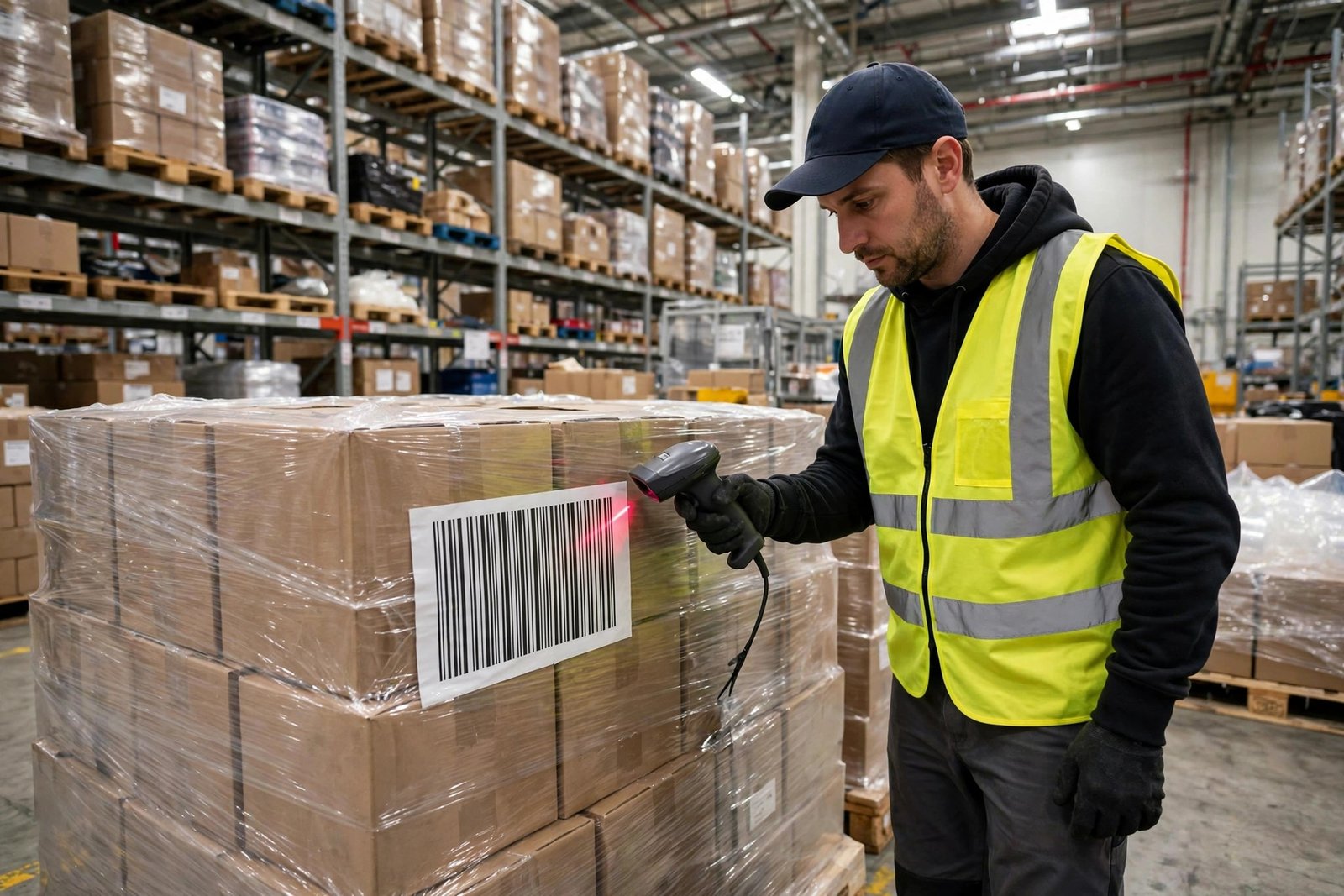
Why Warehouses Need Barcodes
Warehouses that still track stock by hand pay for it in the four places that hurt most.
Faster receiving and put-away. Incoming pallets get scanned at the dock, and the system knows exactly what arrived. Put-away crews scan the item and the bin location, so every unit lands in a recorded spot instead of disappearing into the racking.
Accurate picking, fewer mis-ships. Pickers scan each item against the order before it goes in the box. That one scan at the packing station is the cheapest quality control a warehouse can buy — it catches wrong items before they become returns.
Cycle counts without the clipboard. Scanning a bin takes seconds per item; counting and keying SKUs takes minutes and invites typos. Barcode-labeled stock lets a small team cycle-count the whole building on a rolling schedule.
Labels for everything, reprinted in seconds. Pallet IDs, bin locations, carton contents, shelf edges, dock doors — a warehouse needs thousands of labels, and they get damaged, moved, and reprinted constantly. Generating your own labels is free and instant. For general stock labeling, our barcode generator for inventory covers the SKU-level workflow in detail.
Which Barcode Type Should You Use?
Warehouses use a small set of symbologies for different jobs:
Code 128 — for SKU and item labels. The workhorse of warehouse labeling: compact, alphanumeric, and readable by every scanner on the market. Long part numbers still fit on small labels. If your items use internal SKUs or serial numbers, this is the default. Generate them with our bulk Code 128 barcode generator or read the complete Code 128 guide for the format details.
ITF-14 — for cartons and pallets. The standard for outer packaging in logistics. ITF-14 prints thick bars that scan reliably on corrugated cardboard, even at a distance from a forklift-mounted scanner. Use our bulk ITF-14 barcode generator for carton and pallet labels.
QR Code — for bin locations and asset tags. When a label needs to hold more than a short code — a bin location like “A-14-03-B”, a link to a work instruction, or asset details — QR wins on data capacity and still scans fast at arm’s length. Many warehouses label every rack position with a QR so scanners pull up the right location instantly. Try the bulk QR code generator. Unsure whether a 1D or 2D symbol fits your job? Our QR code vs barcode comparison lays out the trade-offs.
How to Generate Barcodes in Bulk (Step by Step)
Step 1 — Export your data to a spreadsheet. List every code in one column of Excel or Google Sheets — one SKU, pallet ID, or location per row. Keep entries consistent: no leading or trailing spaces, and one code per row. If your data already lives in a spreadsheet, our guide to generating barcodes from Excel/CSV in bulk shows the exact formatting.
Step 2 — Paste or import into the tool. Copy the column and paste it into the input panel, or upload the CSV with the Import button. The entry counter confirms how many codes were detected — up to 500 per batch, free.
Step 3 — Pick the symbology and size. Choose Code 128 for item/SKU labels, ITF-14 for cartons and pallets, or QR for locations. Set bar height to match the scan distance: labels scanned from a forklift need tall bars; labels scanned at the packing bench can be smaller.
Step 4 — Generate and test-scan. Hit Start Generating and scan a test label with your warehouse scanner or a phone before the full print run. Warehouse scanners are tuned differently from office ones — catching a sizing mistake now saves a whole roll of labels.
Step 5 — Download as PDF or ZIP. Export the batch as a PDF for direct printing on a laser or thermal printer, or grab a ZIP of PNG/SVG files for your label software. Everything runs in your browser — your warehouse data is never uploaded, and there is no signup or watermark.
Tips for Warehouse Barcodes
Print big for long scan distances. Pallet labels scanned from a forklift aisle need tall, wide bars. Oversized barcodes still scan fine; undersized ones fail at distance and slow your whole line down.
Use durable stock for harsh zones. Receiving docks, freezers, and outdoor staging eat paper labels. For those areas, print on synthetic or laminated stock — the barcode file is free, so reprinting on better material costs almost nothing.
Keep the quiet zone intact. Every barcode needs blank margins on both sides so scanners find the symbol’s edges. The tool adds them by default — do not trim them off when cutting labels to size.
Label the location, not just the item. The biggest win in most warehouses is location labeling: every rack position gets a scannable ID. Put-away and picking accuracy jump immediately because the scanner, not memory, confirms where stock lives.
Archive every batch’s source file. Save the exact code list used for each label run. When labels get damaged or a new aisle opens, you regenerate from the same file in seconds instead of re-typing hundreds of codes.
Frequently Asked Questions
What is the best barcode type for warehouse labels?
Code 128 is the best all-round choice for warehouse SKU and item labels. Use ITF-14 for cartons and pallets (it scans reliably on corrugated cardboard), and QR codes for bin locations or labels that need to hold longer data.
How many warehouse barcodes can I generate at once?
Up to 500 barcodes per batch, free, with no signup. Run multiple batches for larger warehouses — there is no daily limit.
Can I print warehouse labels on a regular office printer?
Yes. Download the batch as a PDF and print on adhesive label sheets with any laser or inkjet printer. For high-volume or harsh environments, export PNG/SVG files for a thermal label printer.
Will these barcodes scan with warehouse scan guns and forklift scanners?
Yes. The tool generates standard, spec-compliant symbols that work with handheld scanners, forklift-mounted units, and phone cameras. Always test-scan one label at the real scan distance before a full print run.
Is my warehouse data uploaded anywhere?
No. All barcode generation happens locally in your browser. Your SKU lists, pallet IDs, and location codes never leave your device.