Best Bulk Barcode Generator: Top 5 Free Tools Compared
If you need hundreds of barcodes — for inventory SKUs, retail price tags, Amazon FBA labels, or Shopify products — generating them one by one is not an option. You need the best bulk barcode generator for the job: a tool that takes a whole list of codes and turns it into print-ready barcodes in minutes.
But “best” depends on what you need. Some tools are free with no signup and no watermark; others cap your batch size, stamp a watermark on free exports, or require an account before you can download anything. We tested and compared the five most-used free options against the criteria that actually matter, so you can pick with confidence.
What Makes a Good Bulk Barcode Generator?
Before the rankings, here is the checklist we used. Run any tool through these six questions:
1. Batch size. How many barcodes can you generate in one go? For real inventory work you want at least a few hundred per batch — otherwise you spend your day babysitting small runs.
2. Cost and free-tier limits. Is it genuinely free, or “free” with a catch? Watch for trials that expire, daily caps, and features locked behind a paywall.
3. Signup requirement. The best tools let you generate and download immediately. Forced accounts add friction — and hand your email to another marketing list.
4. Watermarks. Some free generators stamp their logo across your barcodes, which makes them unusable on real packaging. A free barcode generator with no watermark is non-negotiable for professional use.
5. Symbologies and export formats. At minimum you want Code 128, EAN-13, UPC-A and QR codes, with PNG, JPG, SVG and PDF export. Extra formats (and ZIP download of the whole batch) save serious time.
6. Privacy. Barcode data often includes your SKUs and product lists. Browser-based tools that process everything locally — nothing uploaded — are the safest choice.
How We Tested
We ran the same real-world task through every tool: a 200-row CSV of mixed SKU codes exported from a spreadsheet, generating Code 128 and EAN-13 barcodes for download. We scored each tool on the six criteria above, checked whether free exports carried watermarks, and verified the output scanned with both a phone camera and a handheld USB scanner.
The 5 Best Bulk Barcode Generators Compared
1. BulkBarcodeGeneratorr — best free bulk barcode generator overall
Verdict: The most complete free option: 500 barcodes per batch, no signup, no watermark, everything processed in your browser.
Our own tool, BulkBarcodeGeneratorr, was built specifically for bulk work. Paste a list of codes (or import a CSV, or auto-generate a sequential series), pick from Code 128, EAN-13, UPC-A, Code 39, ITF-14, QR Code, Data Matrix, PDF417 and more, adjust sizes, and download the whole batch as PNG, JPG, SVG, PDF or a single ZIP.
- Price: Free, no paid tier
- Batch size: Up to 500 barcodes per batch, unlimited batches
- Signup: None
- Watermark: None
- Export: PNG, JPG, SVG, PDF, ZIP
- Privacy: 100% browser-local — your data never leaves your device
Pros: genuinely free with no watermark; large 500-code batches; CSV import and sequential-number generation; wide symbology range; nothing uploaded.
Cons: 500-per-batch cap means very large catalogs need multiple runs; no built-in label designer — you arrange exports in your own label software; no API yet.
In practice, the 500-per-batch cap rarely bites — a 2,000-SKU catalog is four quick batches, and the ZIP download keeps everything organized. The sequential-number mode is a quiet timesaver for numbered asset tags, tickets, and serial labels.
2. TEC-IT — best for obscure symbologies
Verdict: A long-established free online generator with one of the widest symbology selections anywhere — ideal when you need an unusual barcode type.
TEC-IT’s online barcode generator (from the Austrian barcode software company) has been around for years and supports dozens of symbologies, including many you will never need. It is free to use online.
- Price: Free online generator (the company also sells desktop/server barcode software)
- Batch size: Geared mainly toward generating barcodes one at a time; bulk workflows are less streamlined
- Signup: None for the free online tool
- Watermark: None on generated images
- Export: Image download (PNG and others depending on format)
- Best for: rare or specialized symbologies
Pros: huge symbology library; long track record; no signup.
Cons: interface is dense and technical — beginners may find it intimidating; not designed bulk-first, so list-based generation takes more effort.
3. BarcodeOcean — best simple free bulk tool
Verdict: A straightforward free bulk barcode generator with a few handy side utilities.
BarcodeOcean offers free bulk barcode generation with a simple interface, plus small utility tools that are genuinely useful around barcode work.
- Price: Free
- Batch size: Bulk generation supported; free-tier limits apply
- Signup: None
- Watermark: None reported on free exports
- Export: Common image formats
- Best for: quick, no-fuss bulk jobs
Pros: free and simple; no signup; useful companion utilities.
Cons: narrower symbology and feature range than bulk-first tools; smaller operation, so feature updates are slower.
4. BarcodeZ — solid free alternative
Verdict: Another free bulk barcode generator worth bookmarking as a backup.
BarcodeZ provides free bulk barcode generation without an account. It covers the common symbologies and gets the job done for standard use cases.
- Price: Free
- Batch size: Bulk supported; check current free-tier limits
- Signup: None
- Watermark: None reported on free exports
- Export: Standard image formats
- Best for: basic bulk generation
Pros: free, no signup; covers everyday symbologies.
Cons: plainer interface and narrower feature set; fewer export and customization options than the top picks.
5. Canva / Avery — best when label design matters more than bulk
Verdict: Not bulk barcode generators — but the right call if your priority is beautifully designed labels.
Canva and Avery Design & Print are label and design platforms, not barcode engines. The typical workflow: generate your barcodes in a bulk tool, then import the images into Canva or Avery to build polished price tags, packaging stickers, or shelf labels.
- Price: Free tiers available; some features/templates paid
- Batch size: N/A — design tools, not generators
- Signup: Required
- Best for: designed, print-ready labels
Pros: professional label templates; precise print layouts for label stock.
Cons: no real bulk barcode generation — you still need a generator; signup required; free plans have limits.
Do You Ever Need to Pay for a Barcode Generator?
For most small businesses, no. Paid plans make sense when you need an API inside your own app or ERP, a label designer with database connections, or team management with uptime guarantees. If none of those apply, a good free bulk generator — no watermark, no signup — does the job.
Comparison Table
| Tool | Free? | Batch size | Signup | Watermark | Export formats | Best for |
|---|---|---|---|---|---|---|
| BulkBarcodeGeneratorr | Yes, fully | 500/batch, unlimited batches | No | No | PNG, JPG, SVG, PDF, ZIP | Free bulk generation |
| TEC-IT | Yes (online tool) | Single-first; bulk less streamlined | No | No | PNG & others | Rare symbologies |
| BarcodeOcean | Yes | Bulk; free-tier limits apply | No | None reported | Common image formats | Quick simple jobs |
| BarcodeZ | Yes | Bulk; check current limits | No | None reported | Standard image formats | Basic backup option |
| Canva / Avery | Free tiers | N/A (design tools) | Yes | N/A | Print/PDF design export | Designed labels |
Free-tier details change over time — verify current limits before a big print run.
Which One Should You Choose?
If you want free bulk barcodes fast — no signup, no watermark: use BulkBarcodeGeneratorr. Paste or import up to 500 codes, download as ZIP or PDF, done. It is also the natural companion to our guides: generating barcodes from Excel/CSV in bulk, barcode generator for inventory, and barcode generator for retail.
If you need an unusual symbology (something beyond Code 128 / EAN / UPC / QR): check TEC-IT’s library first — if any free tool supports it, they do.
If the label design matters as much as the barcode: generate the codes in bulk, then lay them out in Avery or Canva for polished price tags and packaging. And if you are torn between 1D and 2D codes, our QR code vs barcode comparison will settle it.
Quick Tips Before You Print Your Batch
Whichever tool you choose, these five habits prevent 90% of barcode headaches:
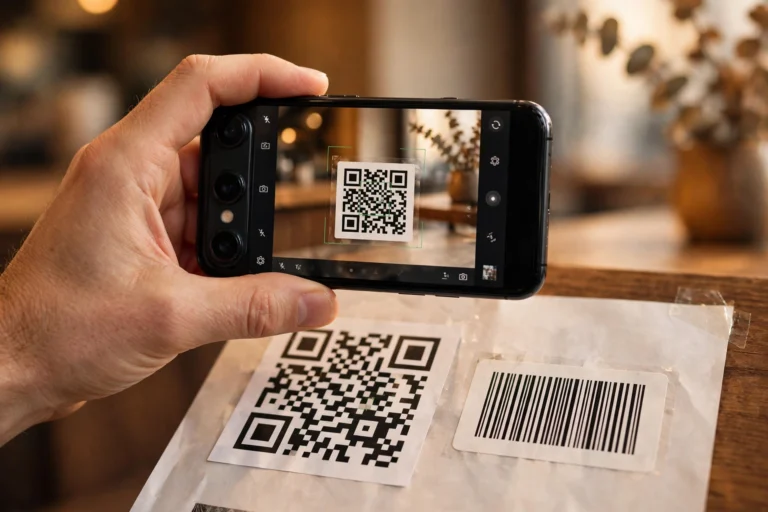
Test-scan everything. Print one page, scan it with your phone and your actual scanner, then print the rest. A five-minute test beats a thousand wasted labels.
Respect the quiet zone. The blank margin on both sides of a barcode isn’t decoration — scanners need it to find the symbol’s edges. Never let text or borders crowd it.
Print at high resolution. Barcodes printed below 300 DPI (or scaled up from tiny images) develop fuzzy edges that scanners reject. Export at the highest resolution your tool offers — SVG is ideal since it scales perfectly.
Validate check digits first. For EAN-13, UPC-A, EAN-8 and ITF-14, run your numbers through a barcode check digit calculator before generating. One wrong digit means the whole batch is scrap.
Frequently Asked Questions
What is the best free bulk barcode generator?
For most people, BulkBarcodeGeneratorr — it is free with no signup, generates up to 500 barcodes per batch, adds no watermark, supports all major symbologies, and processes everything in your browser. TEC-IT is the better pick only if you need a rare symbology.
Is there a free barcode generator with no watermark?
Yes. BulkBarcodeGeneratorr exports clean barcodes with no watermark on the free tier — safe for real packaging. TEC-IT, BarcodeOcean and BarcodeZ also report no watermarks on free exports, but always inspect a test download before a large print run.
How many barcodes can I generate at once for free?
It depends on the tool. BulkBarcodeGeneratorr allows 500 per batch with unlimited batches — enough for most catalogs in a handful of runs. Other free tools vary — check their current free-tier limits, and be wary of “free” tools that cap you at a handful per day or throttle downloads.
Do I need to create an account to generate barcodes?
Not with the top free tools. BulkBarcodeGeneratorr, TEC-IT, BarcodeOcean and BarcodeZ all work without signup. Design platforms like Canva and Avery do require accounts.
Can I use free generated barcodes for commercial products?
Generally yes — a barcode image you generate is yours to print on packaging and labels. That said, the numbers matter more than the image: retail barcodes (UPC/EAN) should come from legitimate GS1-issued prefixes, and you should always test-scan before a full print run. Our UPC-A vs UPC-E vs EAN-13 guide explains which code your products need, and the barcode check digit calculator validates them before you print.