
UPC-A vs UPC-E vs EAN-13: Key Differences and When to Use Each
If you sell physical products, you have probably stared at these three names and wondered whether they are interchangeable: UPC-A, UPC-E, and EAN-13. They look alike — black bars, white gaps, a row of digits underneath — but they encode different amounts of data, serve different markets, and are not always swappable.
Pick the wrong one and a retailer’s scanner may reject your product at the till, or your packaging designer may discover the barcode does not fit on a small label. This guide explains exactly what each symbology is, how they relate to each other through the GTIN system, when to use which, and how to generate all three in bulk for free.
What Is UPC-A?
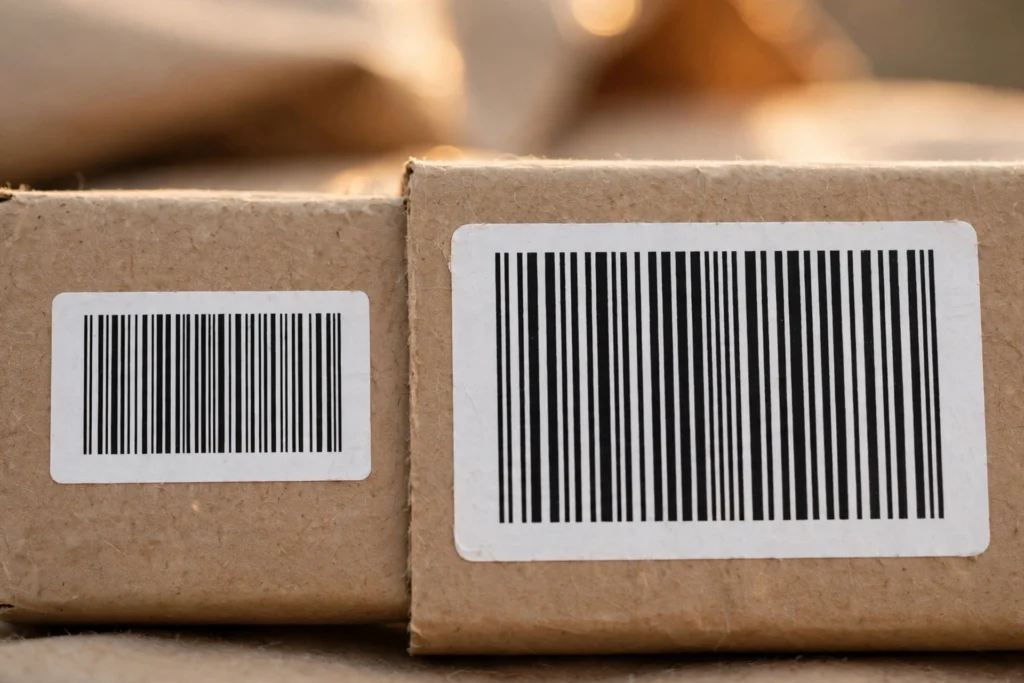
UPC-A (Universal Product Code, version A) is the classic 12-digit barcode you see on almost every product sold in the United States and Canada. It was introduced in the 1970s and remains the standard retail barcode across North America.
A UPC-A encodes exactly 12 numeric digits, structured as follows:
- Digit 1 — Number system character. Usually
0,1,6,7, or8for regular products. It broadly identifies the type of product. - Digits 2–6 — Manufacturer (company) code. Assigned by GS1 when a company licenses its barcode prefix.
- Digits 7–11 — Product code. Assigned by the manufacturer to identify the specific item.
- Digit 12 — Check digit. Calculated from the previous 11 digits using a modulo-10 algorithm, so scanners can detect misreads.
In GS1 terminology, a UPC-A carries a GTIN-12 — a 12-digit Global Trade Item Number. The number is the identifier; the bars are just the visual carrier for it.
UPC-A is the right default for general retail merchandise sold in the US and Canada: groceries, electronics, books, clothing — anything with enough label space for a full-size barcode (roughly 3 cm wide at standard magnification).
What Is UPC-E?
UPC-E is the compressed cousin of UPC-A. It encodes only 6 digits, but here is the key point most people miss: a UPC-E does not contain different data. It is a zero-suppressed shorthand for a specific UPC-A number. When scanned, the scanner expands it back to the full 12-digit UPC-A (the same GTIN-12).
Compression works through zero suppression: certain UPC-A numbers contain runs of zeros in predictable positions (for example in the manufacturer or product code). UPC-E drops those zeros according to strict rules and keeps a parity pattern that tells the scanner how to reconstruct the original number.
That leads to an important limitation: not every UPC-A number can be compressed into UPC-E. Only numbers that meet all of these conditions qualify:
- The number system digit is
0or1. - The manufacturer and product codes contain zeros in one of the allowed patterns.
- The check digit is recalculated for the compressed form.
If your assigned product number does not fit a zero-suppression pattern, UPC-E is simply not an option for it — you must use UPC-A.
UPC-E exists for one reason: space. On very small packages — chewing gum, lip balm, small pharmaceutical vials, single-serve cosmetics — a full UPC-A will not fit legibly. UPC-E shrinks the symbol to roughly half the width while remaining scannable by the same retail systems.
What Is EAN-13?
EAN-13 (European Article Number, 13 digits) is the international retail barcode standard, used on products sold virtually everywhere in the world. It encodes 13 numeric digits:
- Digits 1–3 — GS1 prefix. Indicates the GS1 member organisation that issued the company prefix (often loosely called the “country code,” though it identifies the issuing organisation, not necessarily where the product was made).
- Following digits — Company and product codes, with lengths varying by prefix allocation.
- Final digit — Check digit, calculated with the same modulo-10 method used by the UPC family.
A fun and useful fact: every UPC-A is also a valid EAN-13. Add a leading zero to any 12-digit UPC-A and you get its 13-digit EAN-13 equivalent — same product, same GTIN. This works because GTIN-12 and GTIN-13 are the same numbering system at different lengths.
Since the Sunrise 2005 initiative, point-of-sale scanners in the US and Canada read EAN-13 symbols too, so EAN-13 is genuinely usable in North American retail today. Outside North America, it is simply the default expectation.
UPC-A vs UPC-E vs EAN-13: Side-by-Side Comparison
| Feature | UPC-A | UPC-E | EAN-13 |
|---|---|---|---|
| Digits encoded | 12 | 6 (compressed) | 13 |
| GTIN format | GTIN-12 | GTIN-12 (same as source UPC-A) | GTIN-13 |
| Check digit | Yes (modulo-10) | Yes (modulo-10) | Yes (modulo-10) |
| Primary market | US & Canada retail | US & Canada, small packages | International retail |
| Symbol width | Standard | ~Half of UPC-A | Slightly wider than UPC-A |
| Convertible | → EAN-13 (add leading 0) | Expands to its UPC-A | ← UPC-A (drop leading 0) |
| Number restrictions | Any valid GTIN-12 | Only zero-suppressible numbers, NS 0/1 | Any valid GTIN-13 |
| Typical use | General merchandise | Gum, cosmetics, small pharma | Products sold internationally |
A note on the table’s “convertible” row: these conversions change the symbol, not the product identity. UPC-A 036000291452 and EAN-13 0036000291452 identify the exact same trade item in every retail database.
How They Relate: GTIN and the Leading-Zero Trick
Understanding GTIN clears up most of the confusion around these three symbologies — see how the four GTIN formats differ and where each one is used.
GTIN (Global Trade Item Number) is the number itself — the identifier your product carries in retail databases. The barcode symbology (UPC-A, UPC-E, EAN-13, ITF-14, GS1 DataBar) is just
the font it is printed in. GTIN comes in four lengths — GTIN-8, GTIN-12, GTIN-13, and GTIN-14
— but they are all one numbering system, padded with leading zeros:
- GTIN-12
036000291452 - = GTIN-13
0036000291452 - = GTIN-14
00036000291452
This is why “converting UPC-A to EAN-13” is trivial: you are not converting anything meaningful,
just writing the same GTIN at a different length. Any competent barcode software — including a
free bulk barcode generator — handles this automatically when you switch symbologies.
Two practical consequences follow:
- If you sell internationally, standardise on EAN-13. Your US products’ UPC-A numbers already are EAN-13 numbers with a leading zero, so one barcode works everywhere.
- UPC-E is a packaging decision, not a numbering decision. You do not get a separate “UPC-E number” from GS1. You license your GTINs, check whether a given GTIN-12 compresses under the zero-suppression rules, and only then print it as UPC-E.
One more thing worth knowing: the company prefix — the part of the number that identifies your business — must come from GS1. A barcode generator draws the symbol from whatever digits you type, but for retail use those digits must be legitimate GTINs licensed to you. Made-up numbers will clash with real products and get your items rejected by retailers.
Which Should You Choose?
Use this decision guidance:
Choose UPC-A when:
– You sell primarily in the US and Canada.
– Your packaging has room for a full-size barcode.
– You want the most universally recognised North American retail symbol.
Choose UPC-E when:
– Your package is too small for a legible UPC-A (under roughly 2 cm of printable width).
– Your GTIN-12 qualifies for zero suppression (number system 0 or 1 with a compressible zero pattern).
– You sell in North American retail channels.
Choose EAN-13 when:
– You sell outside North America, or in multiple regions.
– You want a single barcode that works globally, including the US and Canada.
– You are setting up product numbering for a new brand and want maximum future flexibility.
When in doubt: EAN-13 is the safest long-term choice for new products. It is accepted by North American scanners, expected everywhere else, and costs nothing extra. The only common reason to prefer UPC-A is an existing catalogue of UPC-A numbers or a retailer specification that explicitly asks for UPC.
How to Generate UPC-A, UPC-E, and EAN-13 Barcodes in Bulk

Once you have your legitimate GTINs from GS1, generating the actual barcode images for hundreds of products takes minutes. Here is a practical workflow using our free tool:
Step 1 — Prepare your number list. Put one GTIN per line in a plain list. Make sure UPC-A entries are 12 digits, UPC-E entries are the valid 6-digit compressed form, and EAN-13 entries are 13 digits. If your numbers live in a spreadsheet, export the column to CSV.
Step 2 — Enter your data. On the free bulk barcode generator, paste your values directly (one per line), import your CSV file, or use sequential-number autofill if your product codes run in a series.
Step 3 — Select the symbology. Choose UPC-A, UPC-E, or EAN-13 from the barcode type dropdown. The tool validates the check digit structure as it renders, so formatting mistakes surface immediately.
Step 4 — Download everything at once. Export as PNG or JPG for documents, SVG for print-perfect scaling, PDF for label sheets (A4 or Letter layouts with grid and custom spacing), or grab the whole batch as a ZIP — up to 500 barcodes per generation, with no signup and no watermark.
Everything is processed locally in your browser, so your product numbers are never uploaded to a server. If you specifically need EAN-13 output, there is also a dedicated bulk EAN-13 barcode generator page with the same free limits. (And if you ever need QR codes for marketing or inventory use rather than retail checkout, the bulk QR code generator works the same way.)
Common Mistakes to Avoid
- Printing UPC-E for a non-compressible number. Always verify your GTIN-12 actually qualifies for zero suppression before committing to UPC-E packaging. When it does not qualify, use UPC-A.
- Shrinking a barcode below scannable size. Every symbology has a minimum print size (magnification). A UPC-E printed too small fails just as surely as a UPC-A that does not fit. Test-scan physical proofs before a full print run.
- Forgetting quiet zones. The blank margins on both sides of the bars are part of the symbol. Text, edges, or fold lines intruding into the quiet zone are a top cause of unscannable barcodes.
- Using invented GTINs for retail. Barcode generators render whatever digits you provide, but retail products need GS1-licensed numbers. You can read more about us and our approach to keeping the tool free, and contact us if you are unsure which symbology your project needs.
- Low-contrast printing. Barcodes need dark bars on a light background. Never print in red (red scanners cannot see red bars), metallic inks, or over busy background artwork.
Frequently Asked Questions
Can I convert a UPC-A barcode to EAN-13?
Yes — simply add a leading zero to the 12-digit number. UPC-A 036000291452 becomes EAN-13 0036000291452. Both identify the same product because GTIN-12 and GTIN-13 are the same numbering system at different lengths. Most barcode software performs this automatically when you switch symbologies.
Can every UPC-A number be compressed into UPC-E?
No. UPC-E zero suppression only works for GTIN-12 numbers with number system 0 or 1 whose manufacturer and product codes contain zeros in specific allowed patterns. If your number does not fit one of those patterns, you must print it as UPC-A.
Do I need GS1 to use UPC or EAN barcodes on retail products?
Yes. The digits encoded in a retail barcode must be legitimate GTINs licensed to your company through GS1 (or a GS1 member organisation). A barcode generator draws the symbol from the digits you supply — it cannot assign you valid product numbers.
Will stores in the US accept EAN-13 barcodes?
Yes. Since the Sunrise 2005 initiative, POS scanners across the US and Canada read EAN-13 symbols. If you sell internationally, EAN-13 is the recommended single symbology.
What is the difference between a GTIN and a barcode?
The GTIN is the number that identifies your product in retail databases; the barcode (UPC-A, UPC-E, EAN-13, and so on) is the visual symbol that carries that number so scanners can read it. One GTIN can be printed in several symbologies.
How many barcodes can I generate at once for free?
Up to 500 barcodes per batch, with no signup, no watermark, and no cost. Your data is processed entirely in your browser and never uploaded anywhere.
Conclusion
UPC-A, UPC-E, and EAN-13 are three dialects of the same language: UPC-A is the 12-digit North American standard, UPC-E is its space-saving compressed form for small packages, and EAN-13 is the 13-digit international standard that already contains every UPC-A within it. For new products with global ambitions, EAN-13 is the simplest choice; for tiny North American retail packages with qualifying numbers, UPC-E earns its place.
Ready to print yours? Generate up to 500 UPC-A, UPC-E, or EAN-13 barcodes in a single free batch — no signup, no watermark — with our free bulk barcode generator.
For EAN-13 retail barcodes, try our ean 13 generator to create up to 500 codes from Excel or CSV in seconds.


2 Comments